Skip to content
M-KART Logo
Open menu

Mobile App

The operational hub for technicians and service teams. Process orders, document your work and resolve issues efficiently with AI support – on site, online and offline.

Platforms: Android (API 30+) and Windows are available, iOS is coming soon (currently in App Store review). Native performance thanks to .NET MAUI – one codebase for every platform.

Core functions (Mobile)

  • Personal order/ticket list: All assigned orders with status, priority and due date at a glance. Push notifications for new assignments and escalations.
  • Role-based order assignment: Employees self-assign open orders – depending on role, either faults only or every order type including planning.
  • Order completion gates: Mandatory information enforced before completion – photo, damage or problem code and checklist. If needed, a follow-up order is triggered automatically.
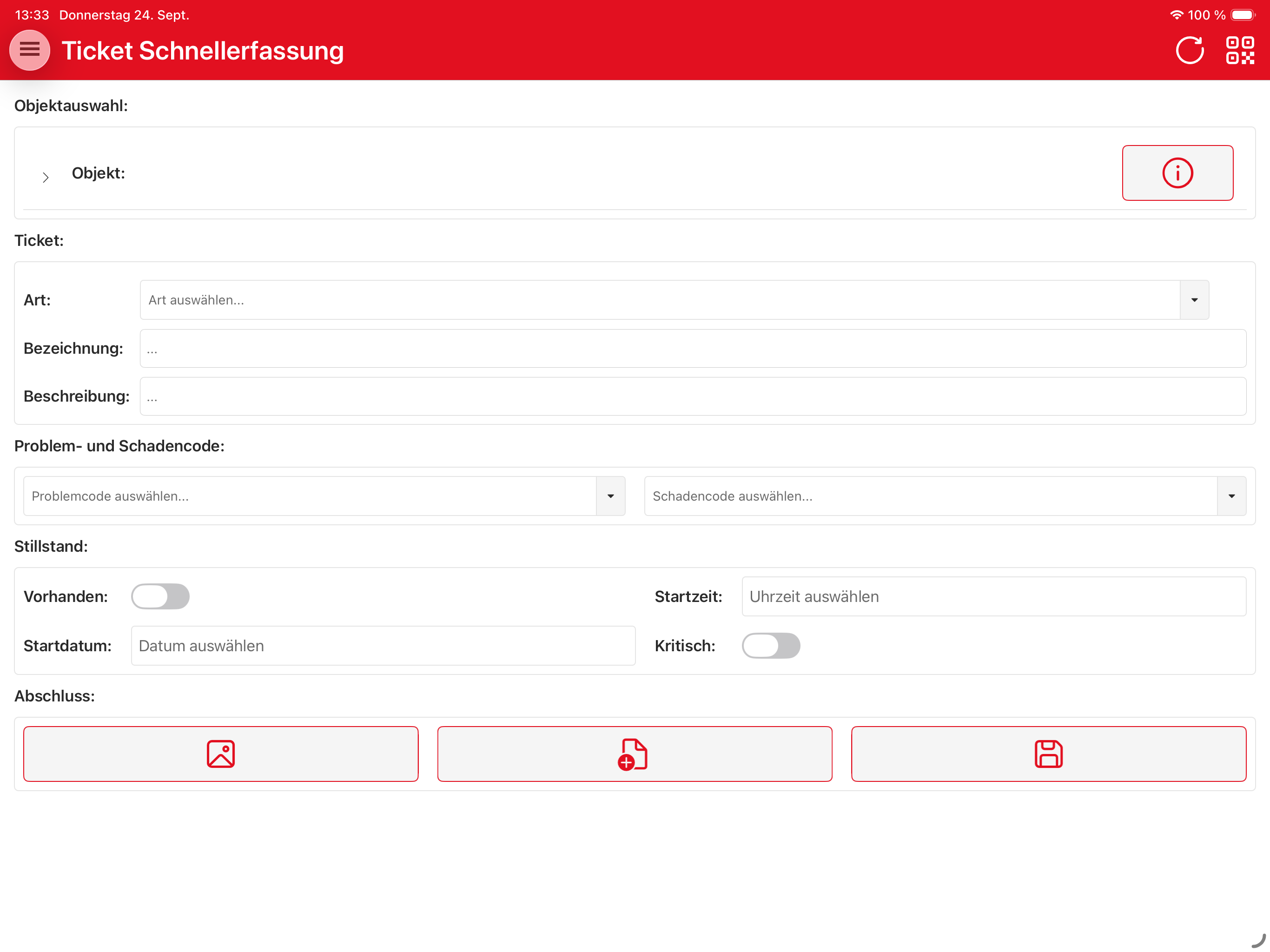
  • Quick capture: Create tickets in seconds right on site – ideal for ad-hoc faults. Photo capture and object selection via the object tree in one step.
  • Time tracking: Clock in/out, breaks, working hours and absences directly on the device – accurate to the minute for precise billing and reporting back to planning.
  • Documentation: Documentation of actions, causes and activities including photos, voice notes and checklists. Required fields and validation for consistent data quality.
  • QR/barcode scan: Identify objects unambiguously by scan, record material and inventory counts directly (ZXing).
  • Material bookings: Book consumption directly against the order – with real-time stock checks.
  • AI Assistant (M-KART AI): Streaming chat with tool calling under role-based access control (RBAC) and clickable entity links – reads and writes M-KART data within the bounds of your role. Fault codes, root-cause analysis and recommended actions from the maintenance history, right on site.
  • Voice control: Operate the app by voice instead of typing (real-time voice) – hands-free in the field. Requires the AI assistant to be enabled.
  • Offline-first: Every function works without a network – a local SQLite cache with a pending queue and automatic sync once connected. Includes offline login (authentication against cached data).
  • Calendar: Appointment overview in 7-day and monthly views with direct order linking. Technicians always keep an eye on their schedule.
  • Comments: Contextual communication on orders, objects and tickets – for transparent information flow between the office and the field.
  • Shift log: Digital shift handover with monthly navigation – create, edit and delete entries. Relevant information is never lost.
  • Event log: An audit trail of every action – who changed what, and when. Complete traceability for compliance and quality assurance.

Use cases

Field service

Process orders on site, track time, document with photos and codes – even offline.

Workshop & maintenance

Handle faults and maintenance, find the object via QR scan, book material directly.

Warehouse & inventory

Record stock levels and inventory counts via barcode/QR scan – fast and paper-free.

Shift & team leadership

Assign orders, keep the event log and shift log, monitor KPIs on the dashboard.
Screenshots

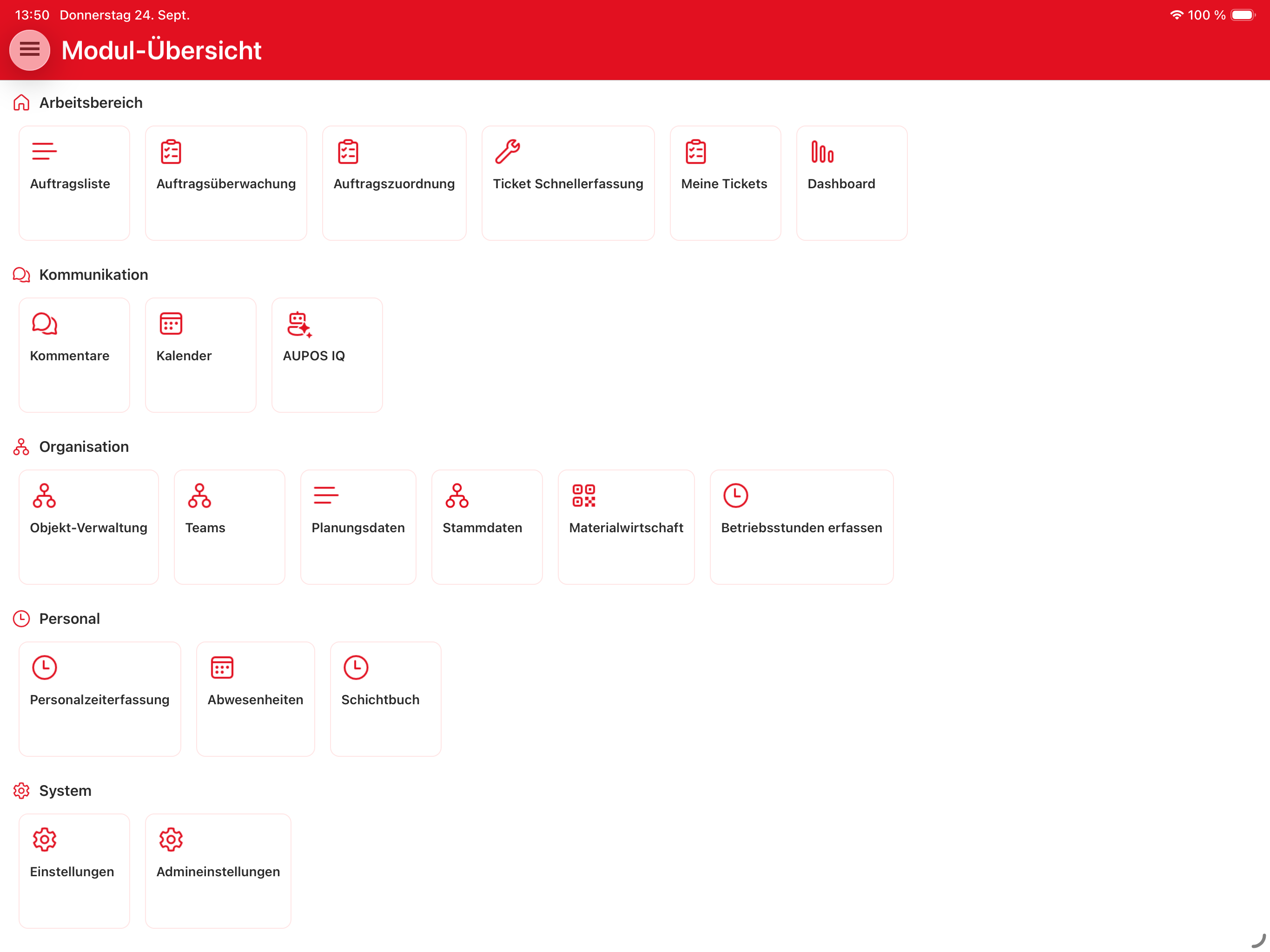
Module overview – all functions at a glance

Module overview

All functions of the mobile app at a glance – grouped by topic for quick access.
  • Workspace, communication, organization, personnel and system clearly separated
  • Role-based: only what your permissions allow is visible
  • AUPOS IQ assistant built directly into the communication area
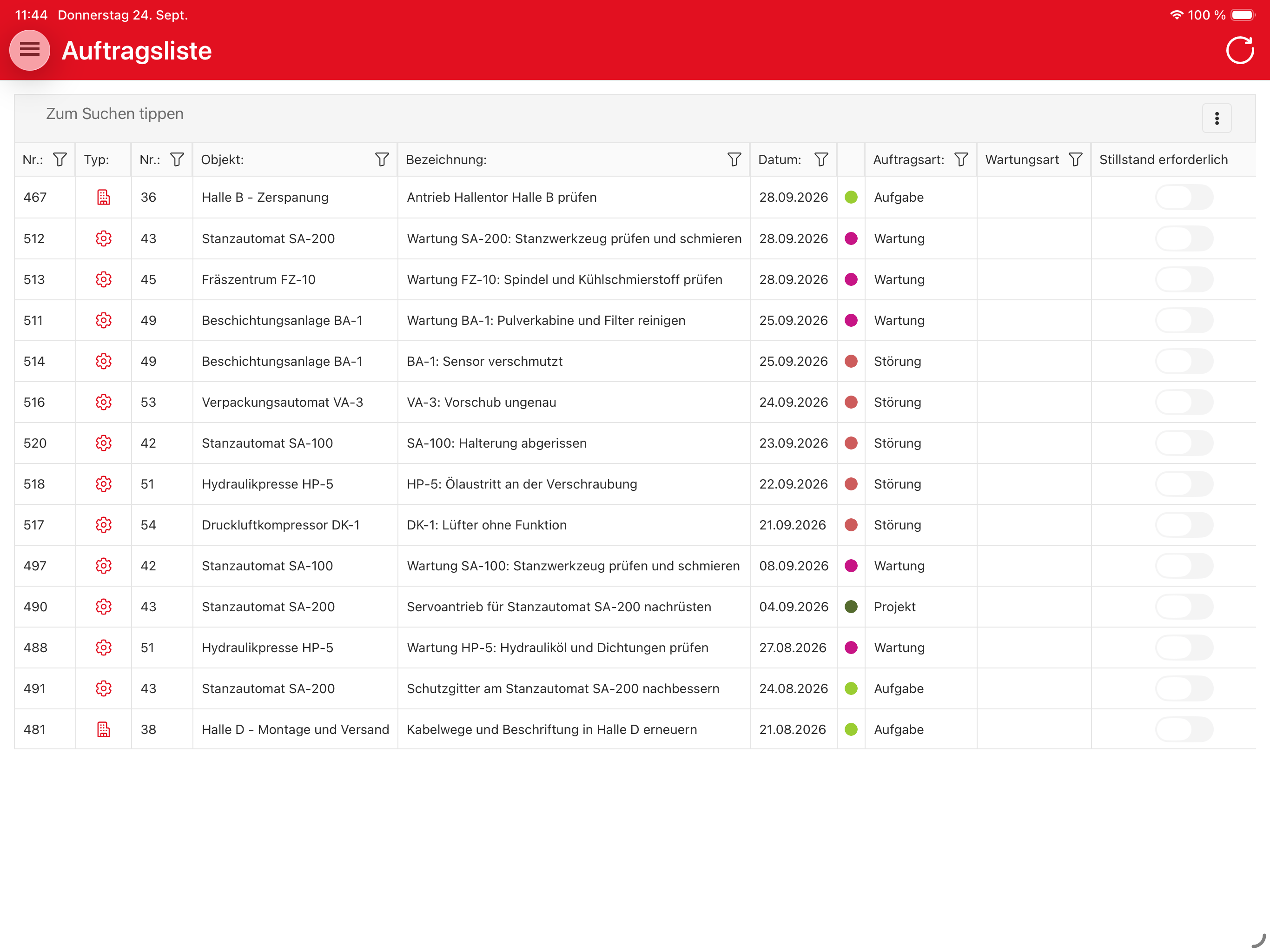
Order list – overview with filter columns

Order list

All pending orders from the last 7 days with full filter columns – including the complete order detail view with items table, component and object path.
  • Filter by object, order type, status and more
  • Per-order flag for whether downtime is required
  • Jump straight into the order detail with items table, component and documents
My tickets – personal ticket list

My tickets

Personal ticket list with status, criticality and report date – create new tickets in seconds right on site, including object selection, problem and damage code.
  • Filter by object, type and status
  • Quick capture via object tree or QR/barcode scan, incl. downtime capture
  • Critical flag visible at a glance
  • Photo, document or direct save on completion
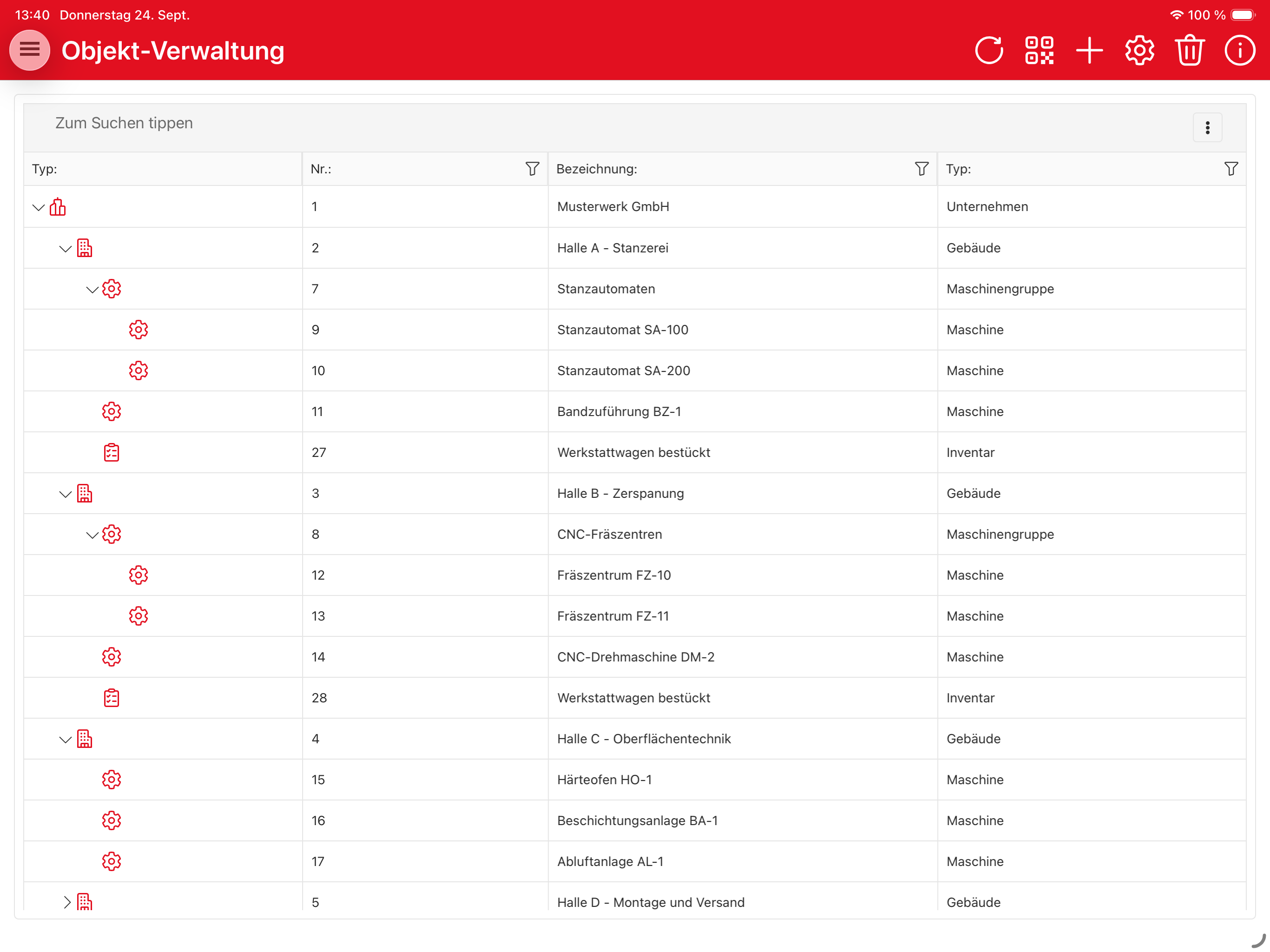
Object management – tree structure down to machine level

Object management

Hierarchical object structure from the company down to the individual machine.
  • Nesting to any depth: branch → department → plant → machine
  • Direct access to QR/barcode scan, creation and settings
  • Search and filter across the entire structure
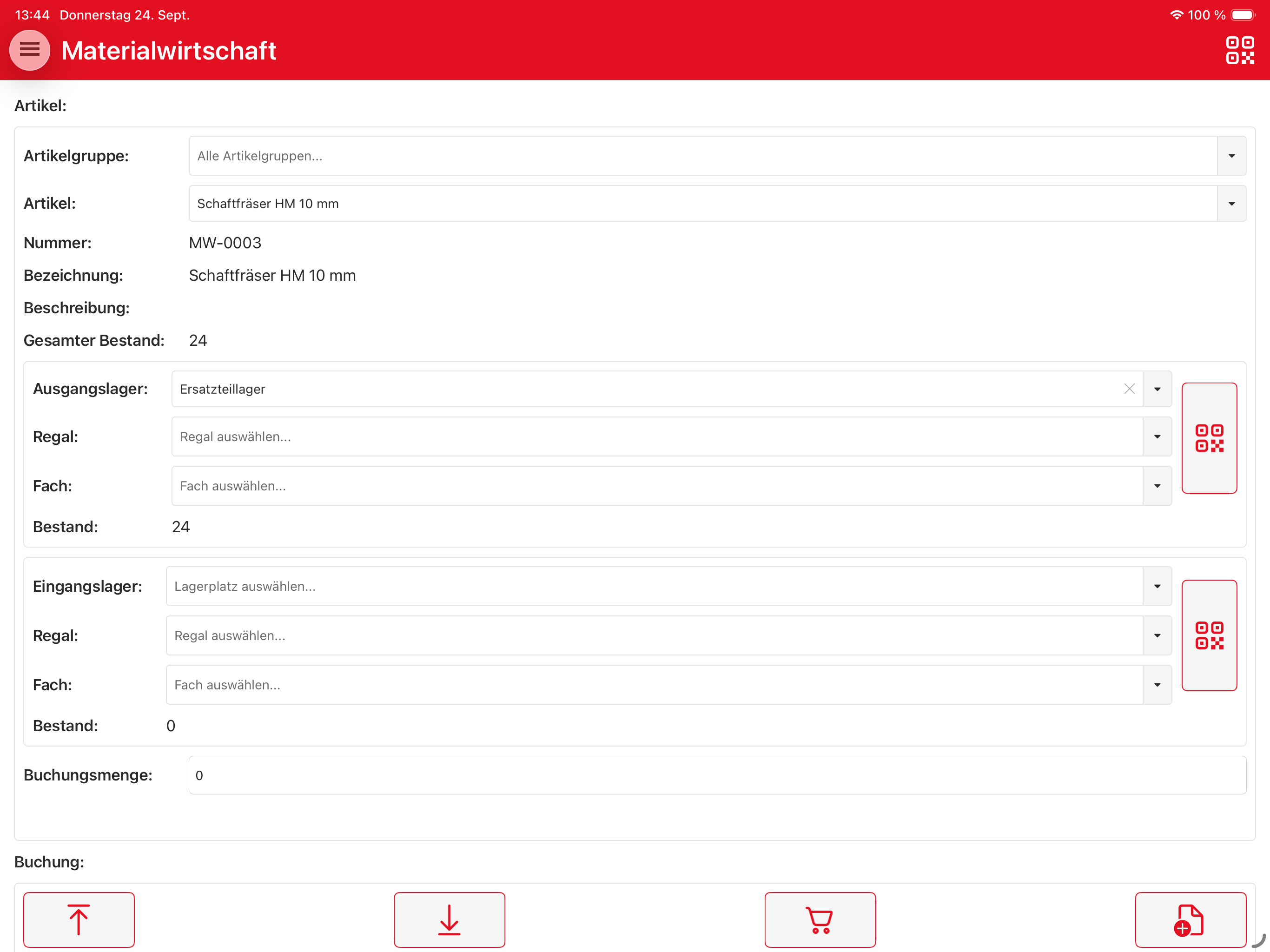
Materials management – item and stock booking

Materials management

Find items, check stock per storage location and post stock movements directly.
  • Source and destination warehouses with shelf and bin assignment
  • QR/barcode scan for storage locations
  • Stock-in, stock-out and transfer bookings as well as ordering directly from the app
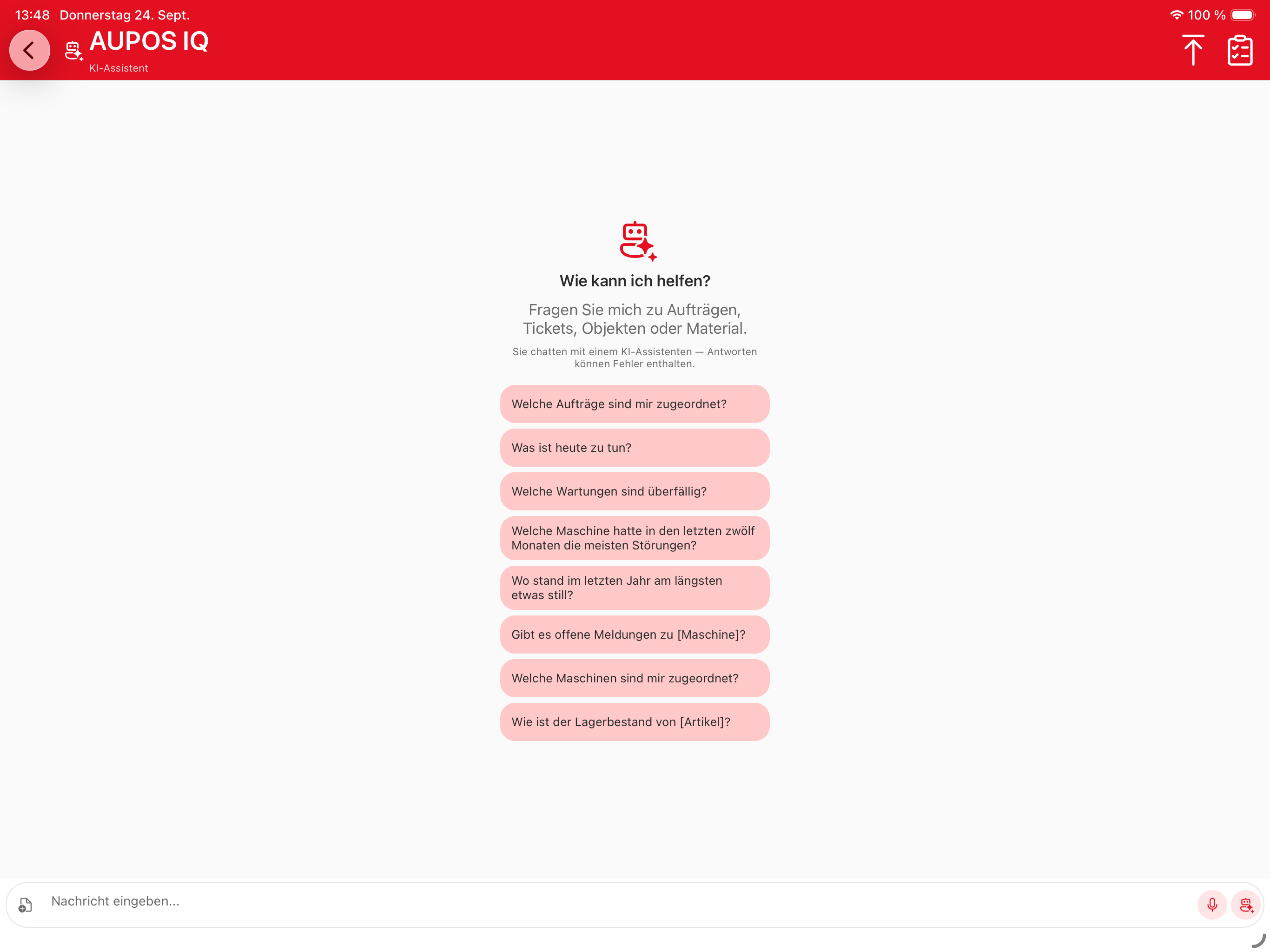
AUPOS IQ – AI assistant start screen

AUPOS IQ – AI assistant

Contextual questions about orders, tickets, objects or material – directly in the chat.

  • Streaming responses with tool calling on M-KART data
  • Voice input for hands-free work in the field
  • Role-based access to order and object data