Desktop version
The control and structuring hub for maintenance managers, dispatchers and technical administration.
This is where everything comes together: planning, structure setup, controlling and administration.
From planning to execution:
Everything planned and scheduled on the desktop is immediately available to technicians in the
mobile app
– and, conversely, every update from the field flows back in real time,
without switching between systems.
Core functions (Desktop)
- Structure & object tree: Branches, sites, plants, machines, assemblies, components and more, in hierarchies of any depth. Build and restructure via drag & drop, bulk creation and import.
- Planning & calendar: Visual capacity planning in daily, weekly and monthly views. Rescheduling via drag & drop with real-time qualification and conflict checks.
- Dashboards & KPIs: Role-tailored metrics (e.g. MTTR, MTBF, due dates, material needs) with drill-down into fault and maintenance history.
- Rights & object permissions: Fine-grained control over who may work on, schedule, delete or complete a given object.
- Personnel management: Teams, departments, qualification groups and responsibilities. Shift plans and absences at a glance.
- Materials & inventory management (optional): Item/spare-part masters, tools, stock, reorder points and cost allocation back to orders and objects.
- Document management: Structured storage linked to objects and orders. Maintenance instructions, inspection reports and operating manuals right at the object.
Screenshots
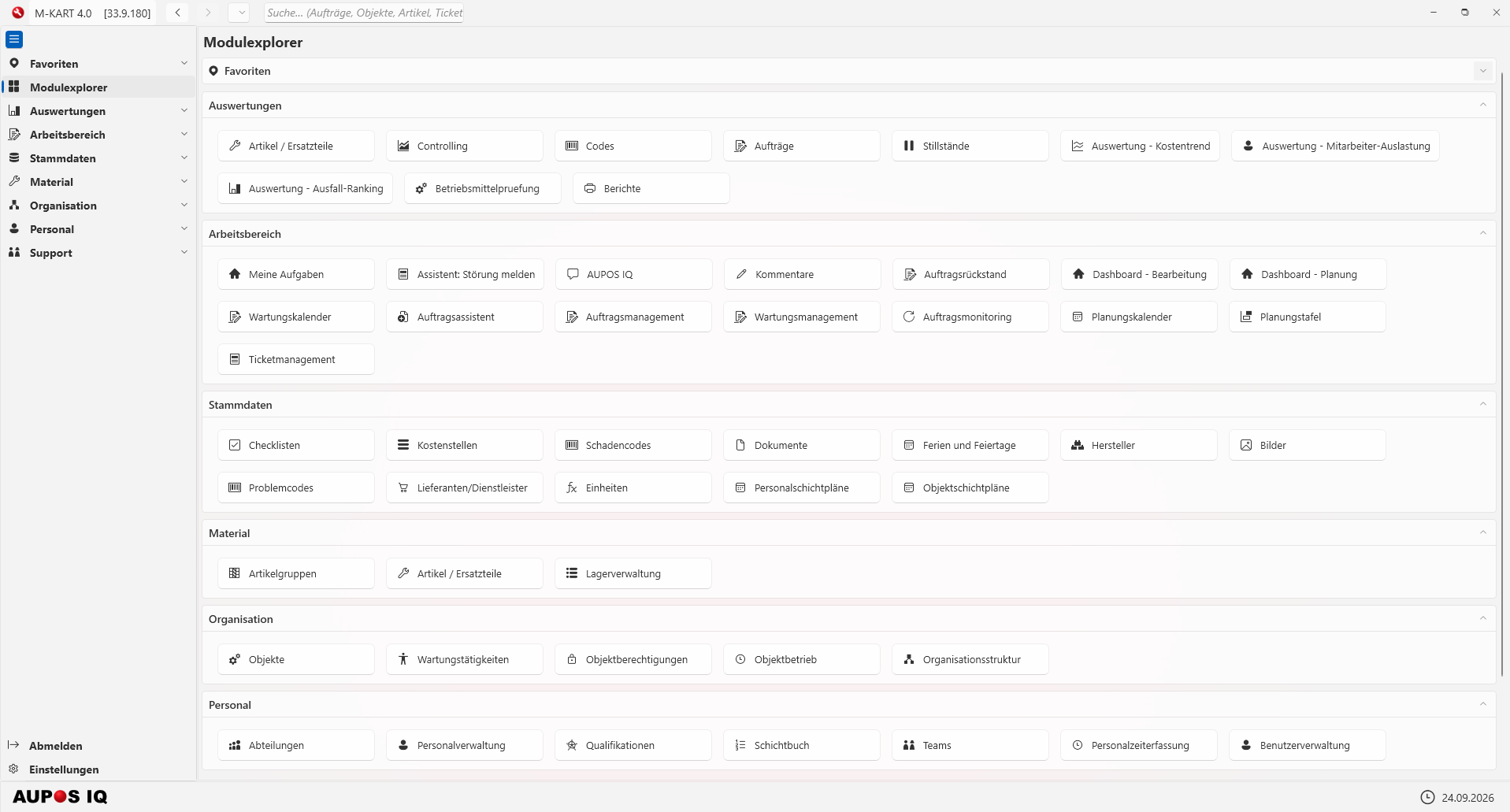
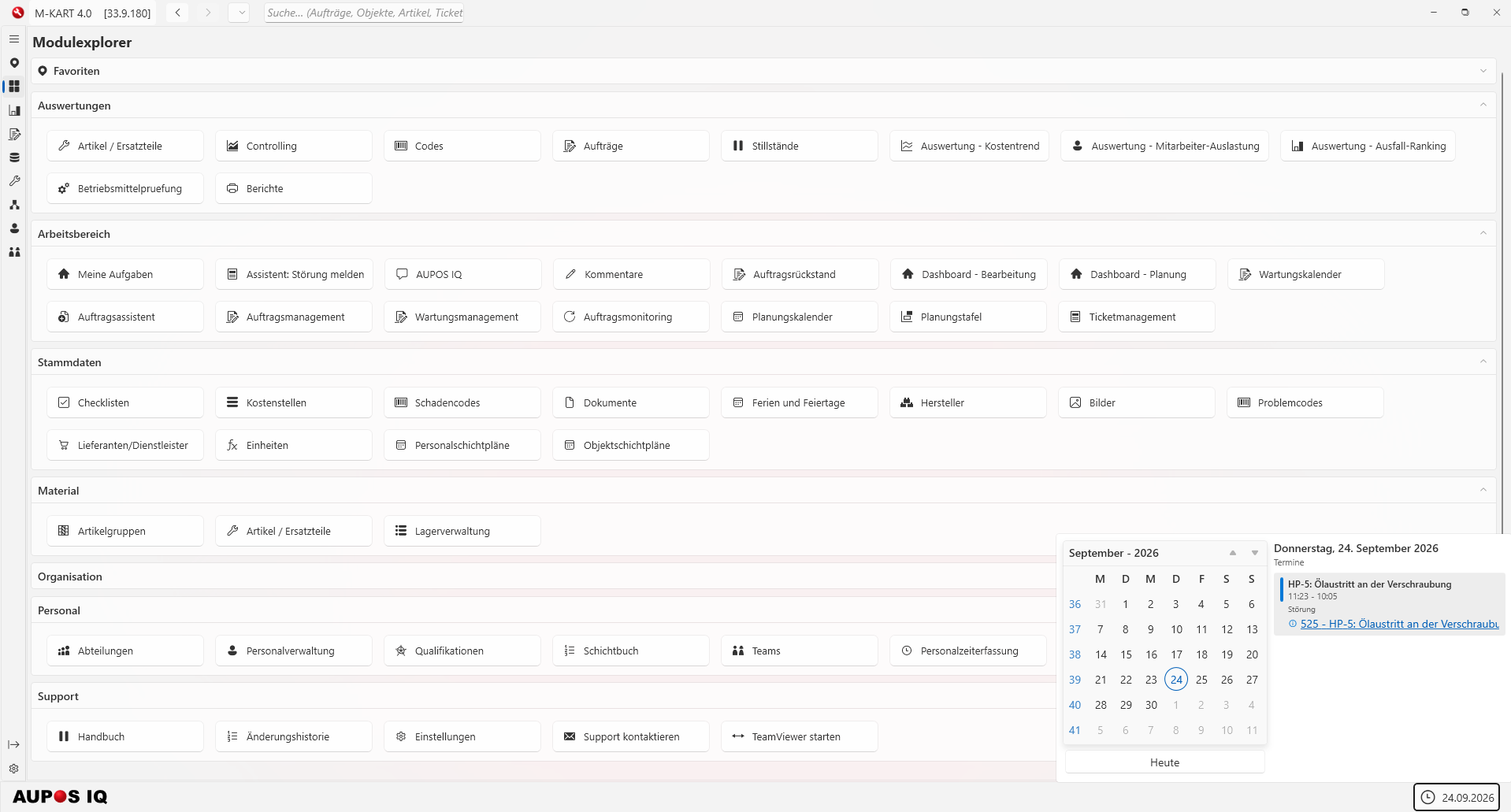
Module explorer
Central start overview: all modules grouped by area, with favorites and direct access.
- Seven areas from reports to support
- Favorites and global search across orders, objects, items and tickets
- Collapsible areas keep a large feature set easy to navigate
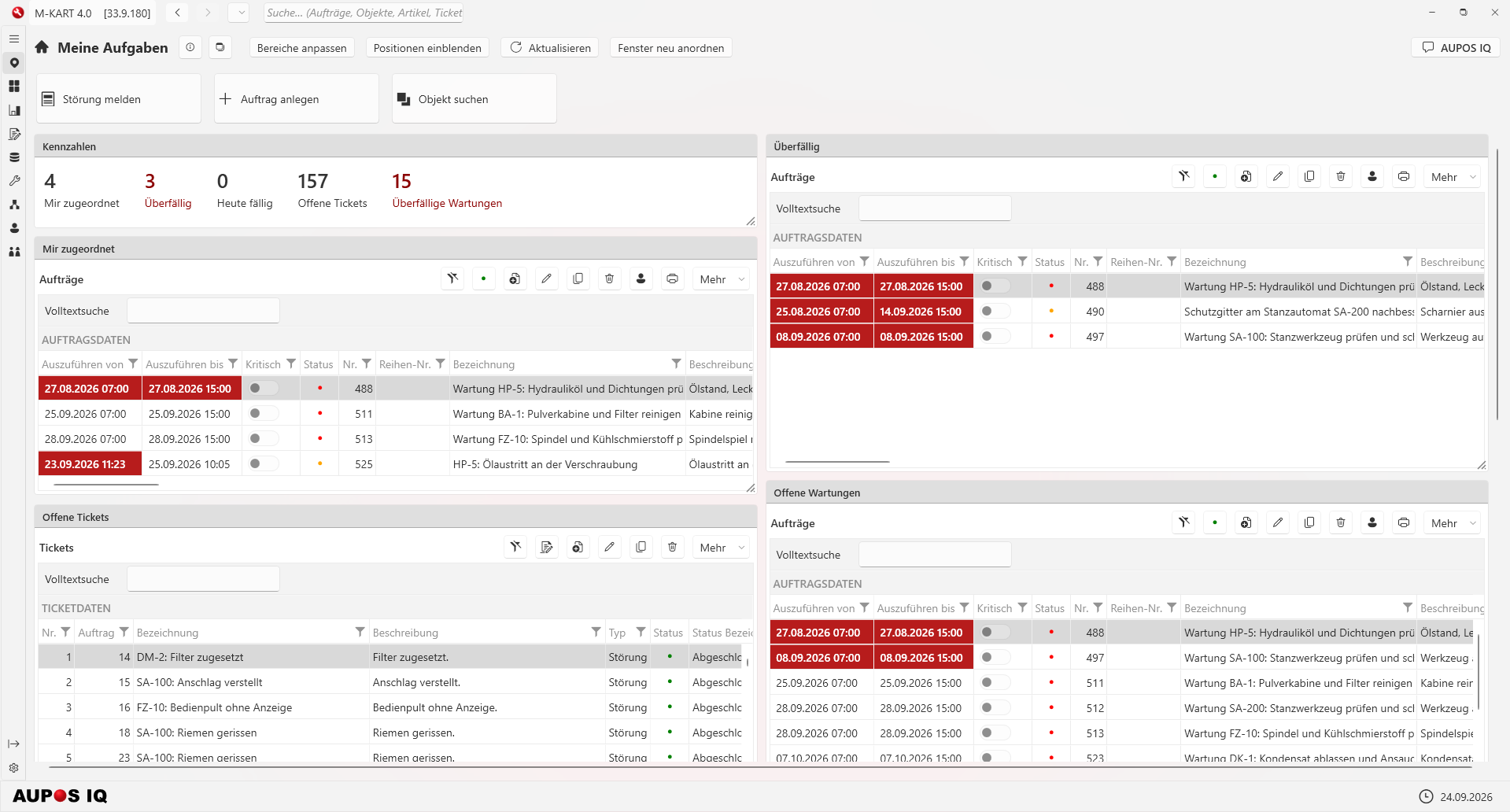
My tasks
Your personal starting point: assigned and overdue orders, open tickets and maintenance at a glance.
- KPIs: assigned to me, overdue, due today, open tickets, overdue maintenance
- Direct actions: report a fault, create an order, find an object
- Adjust areas and rearrange windows freely
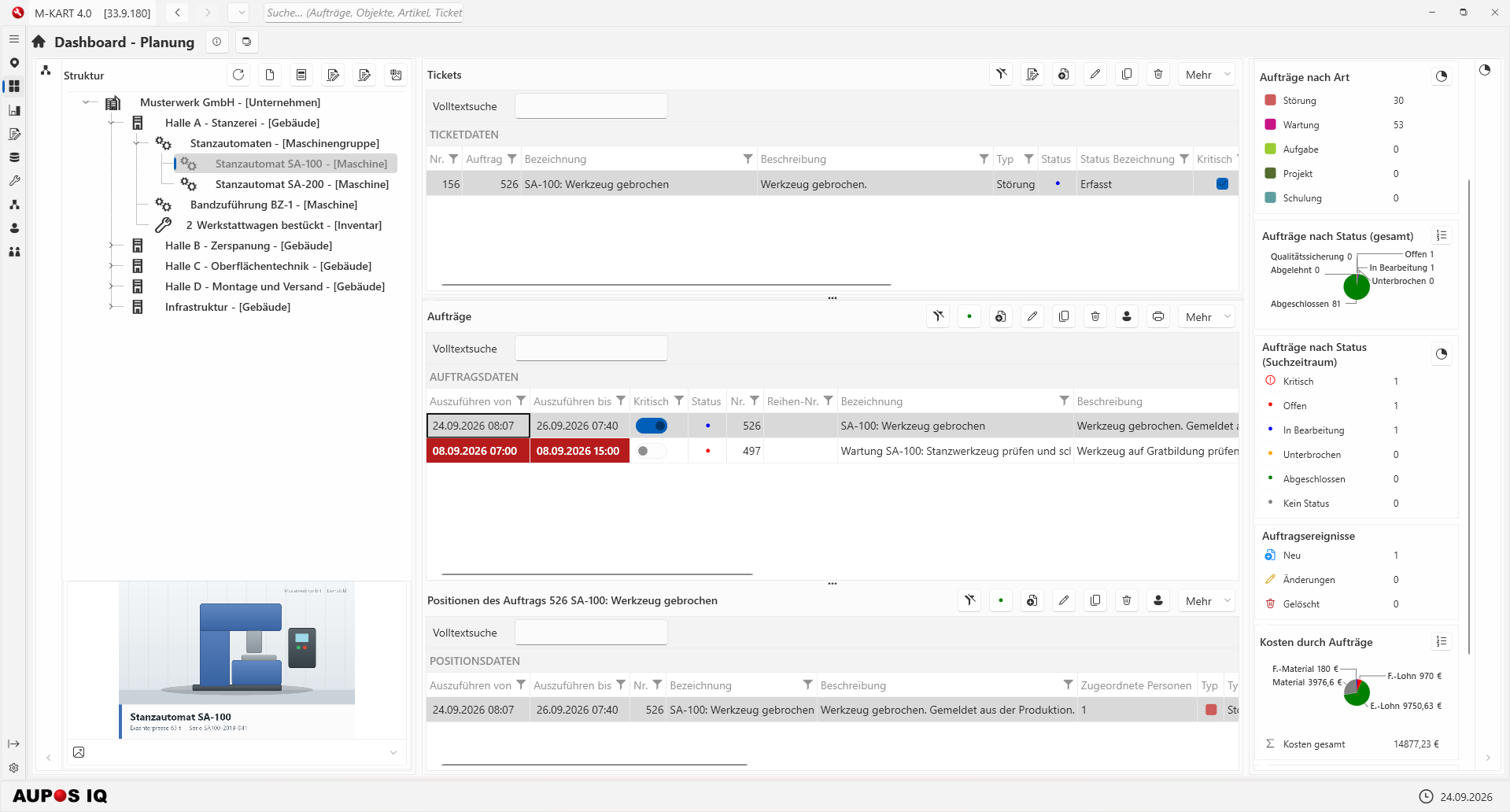
Planning dashboard
Object tree, tickets, orders and items in one view – complemented by KPIs on order types, status and costs.
- Structure on the left; tickets, orders and items in the context of the selected object
- Breakdowns by order type and status, including order events
- Costs caused by orders, split into material and labor
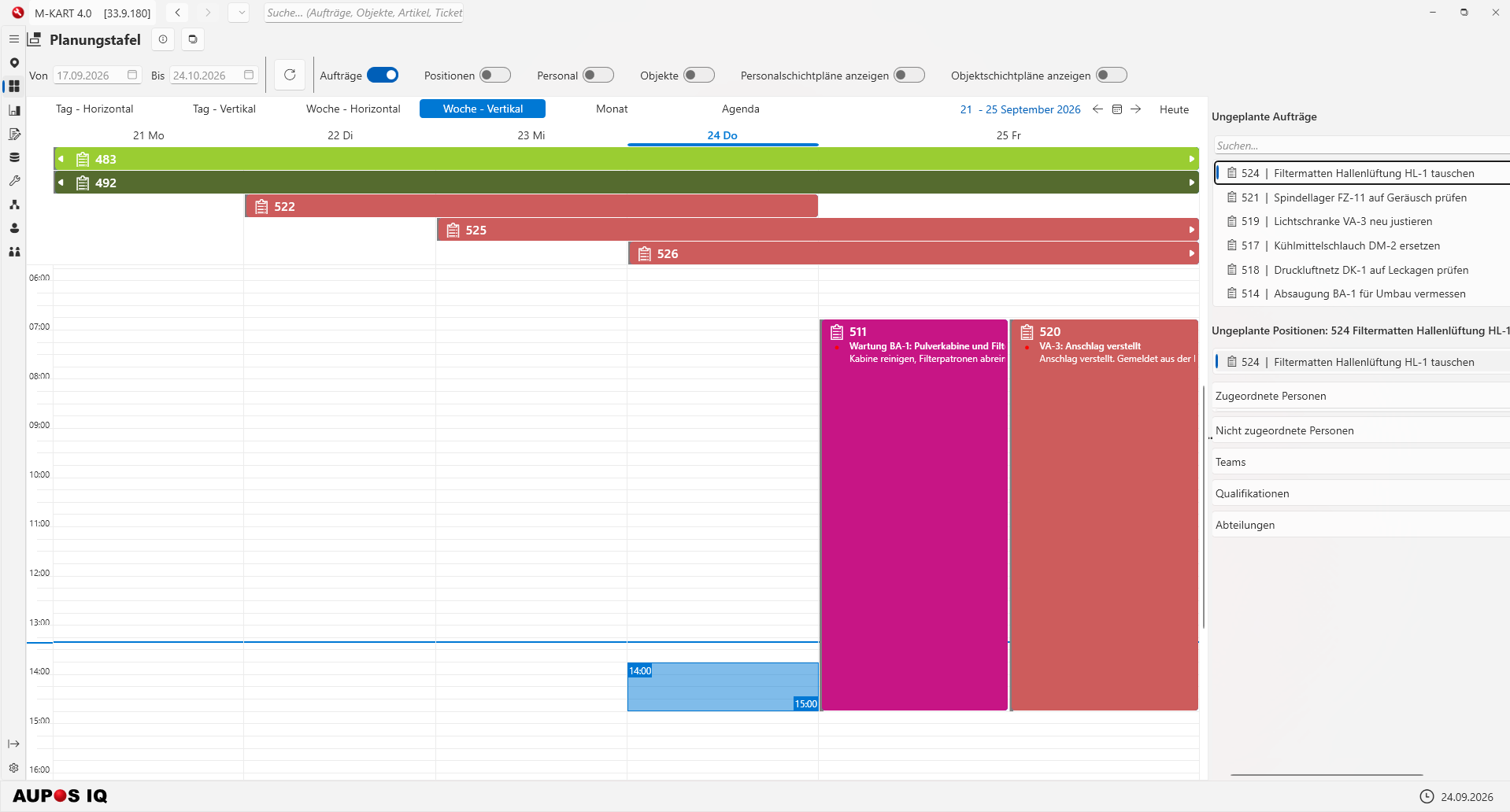
Planning board
Plan orders on the timeline – unscheduled orders and items are ready on the right.
- Views for day, week, month and agenda, horizontal and vertical
- Switchable to items, personnel, objects and shift plans
- Assignment of people, teams, qualifications and departments
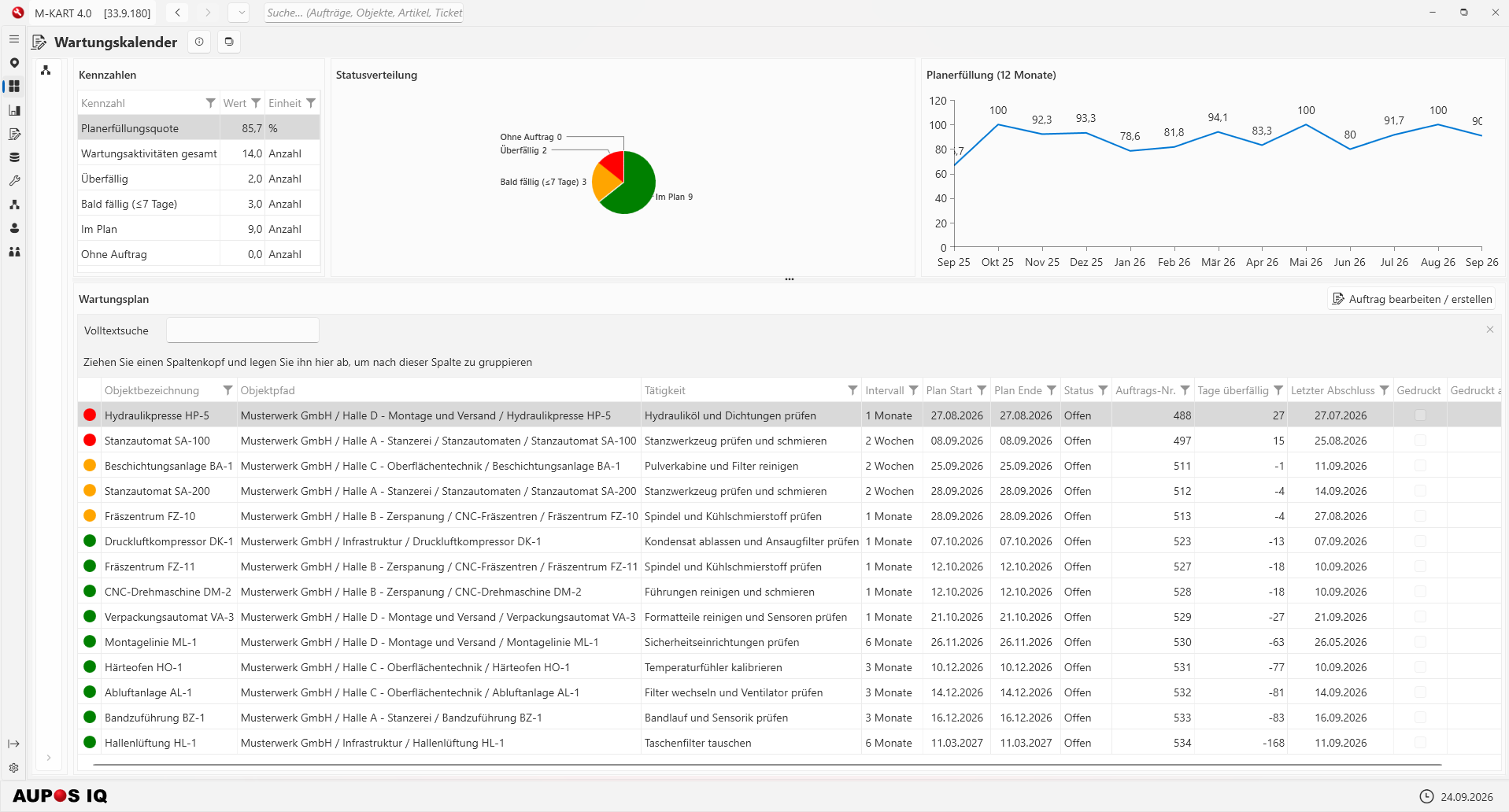
Maintenance calendar
All maintenance activities in the plan: due dates, status and plan compliance over twelve months.
- KPIs: plan compliance rate, overdue, due soon, on plan
- Maintenance plan per object with interval, planned date and last completion
- Traffic-light status per task; edit or create the order directly
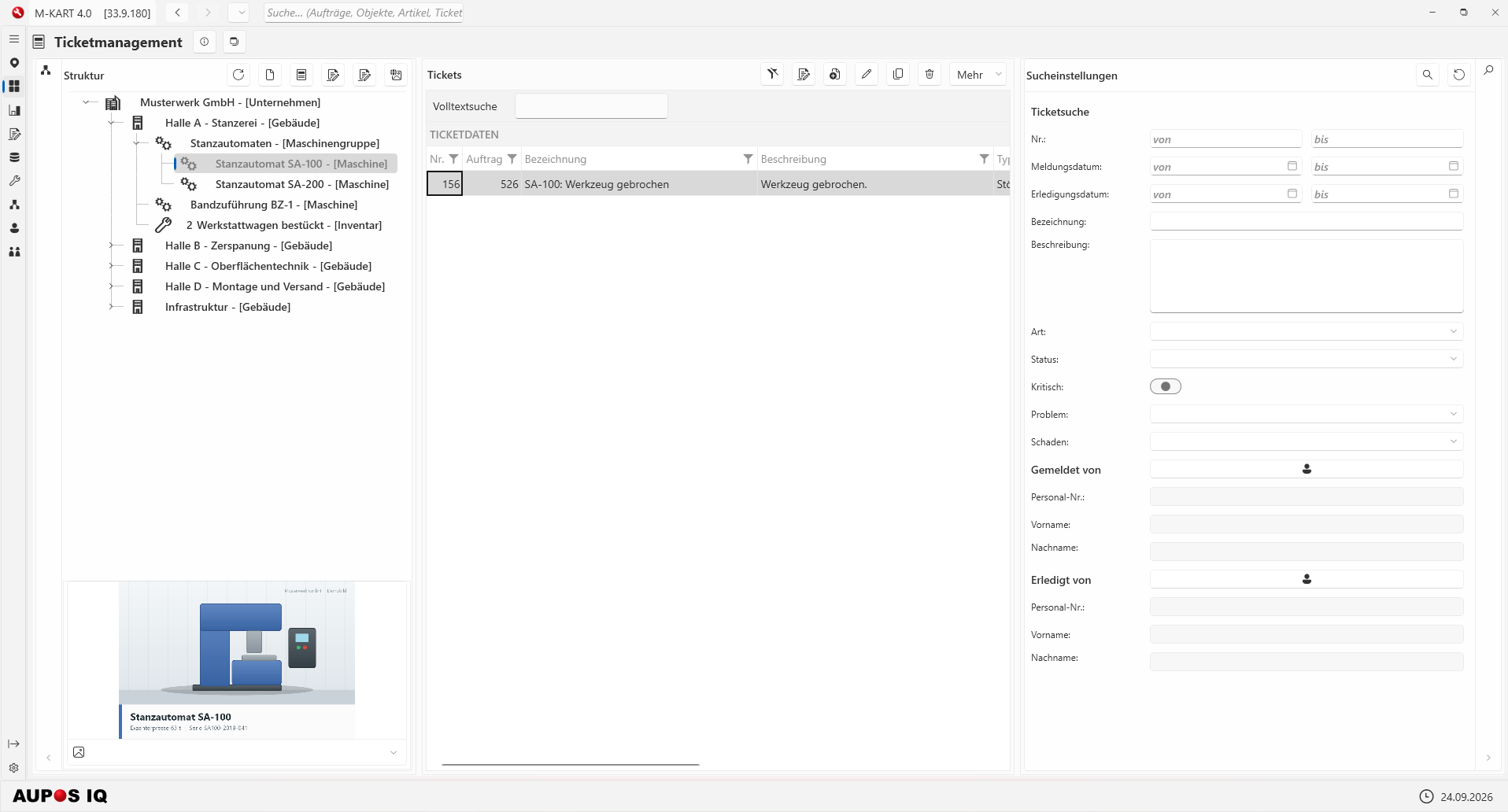
Ticket management
Tickets organized by object, with detailed search by date, type, status and problem.
- Object tree on the left, ticket list in the middle
- Ticket search by number, report and completion date, type, status, critical, problem and damage
- Search by reporter and resolver as well
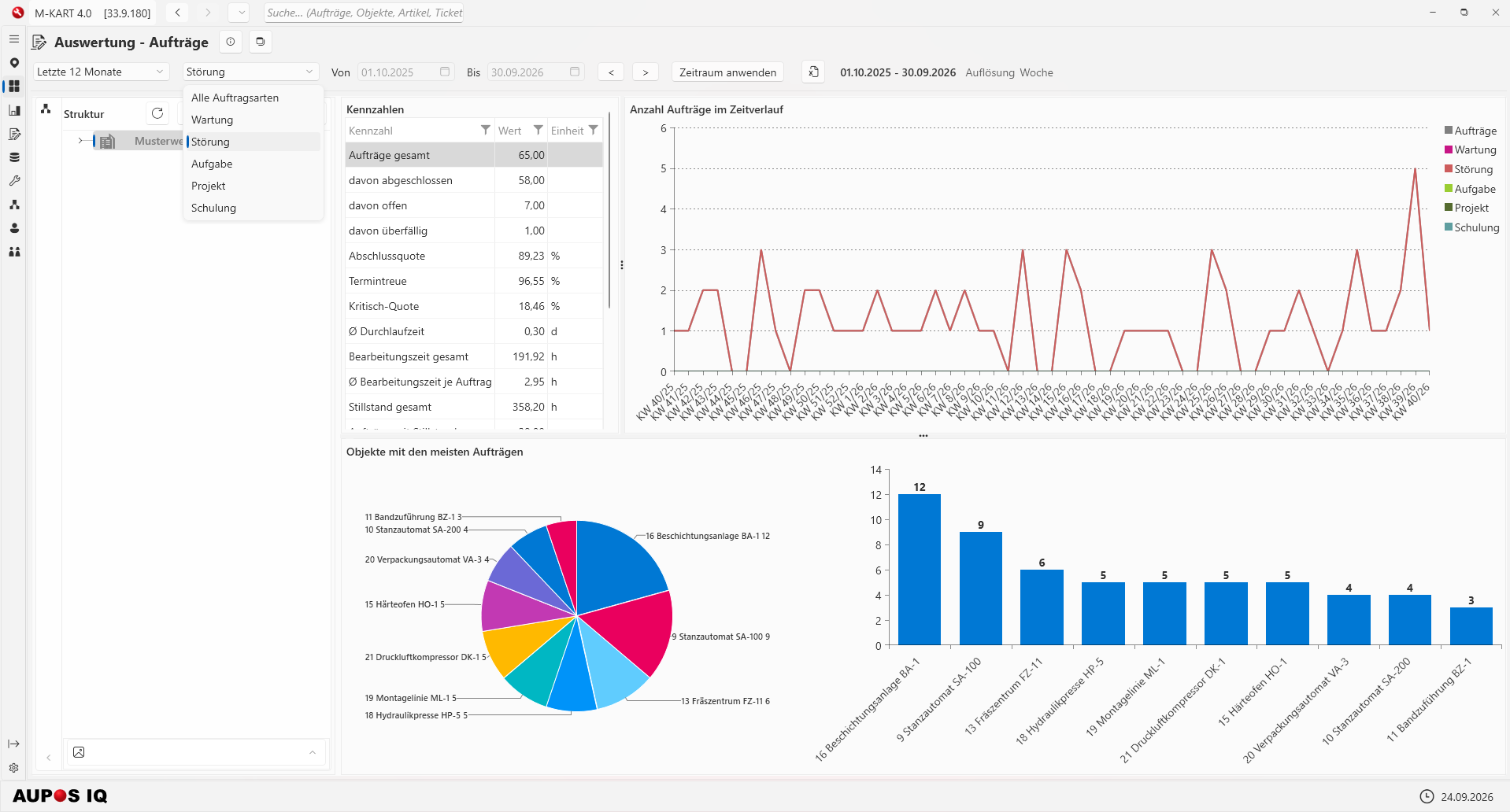
Analysis: orders
Order KPIs for freely selectable periods – filterable by order type and object structure.
- KPIs: completion rate, on-time rate, critical rate, processing time, downtime
- Order timeline by calendar week
- Ranking: objects with the most orders
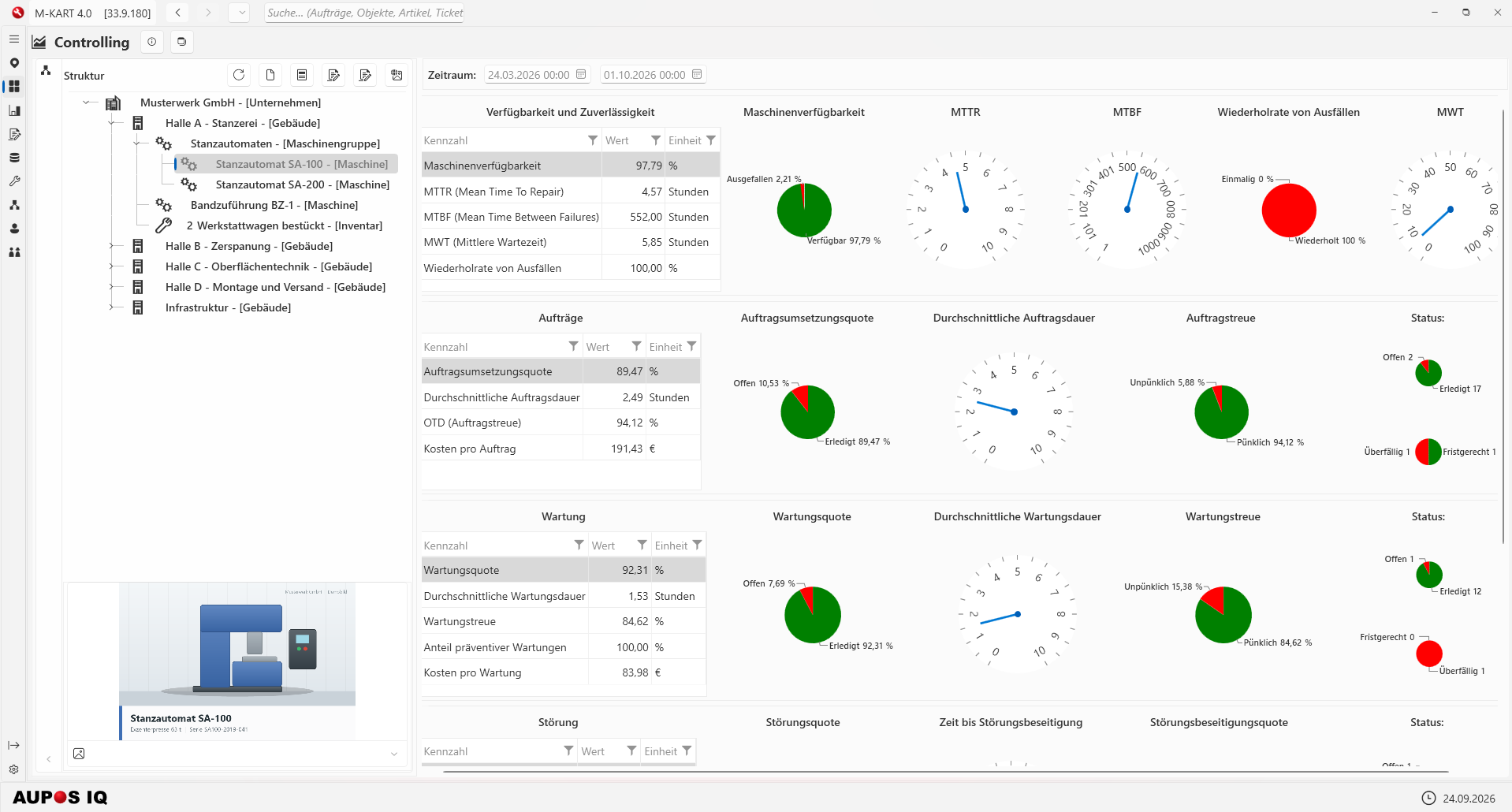
Controlling
KPIs on availability, orders, maintenance and faults – per object or object structure.
- Availability and reliability: machine availability, MTTR, MTBF, mean waiting time
- Order completion rate, schedule adherence and cost per order
- Maintenance rate, on-time maintenance and share of preventive maintenance – as a table, pie chart or gauge
Warehouse management
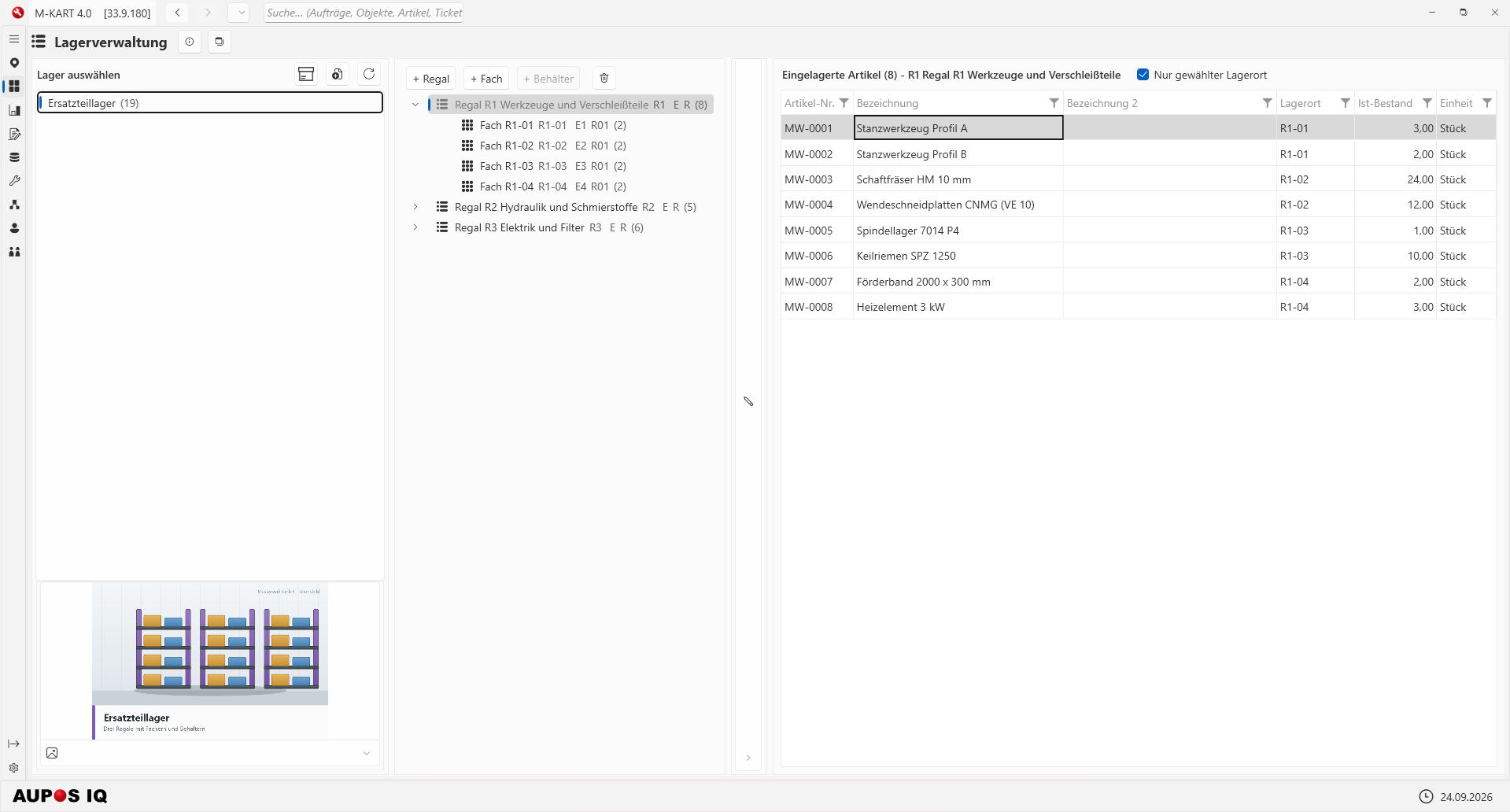
Multi-level storage structure with shelves and bins on the left, stored items with stock levels on the right.
- Warehouse, shelf and bin – can be created right in the view
- Item list with storage location, current stock and unit
- Optionally show only the selected storage location
Calendar
Available via the date display at the bottom right: a month calendar with the appointments of the selected day.
- Month view with calendar weeks
- Appointments of the day with time and order type
- Direct link to the related order
AUPOS IQ – AI assistant
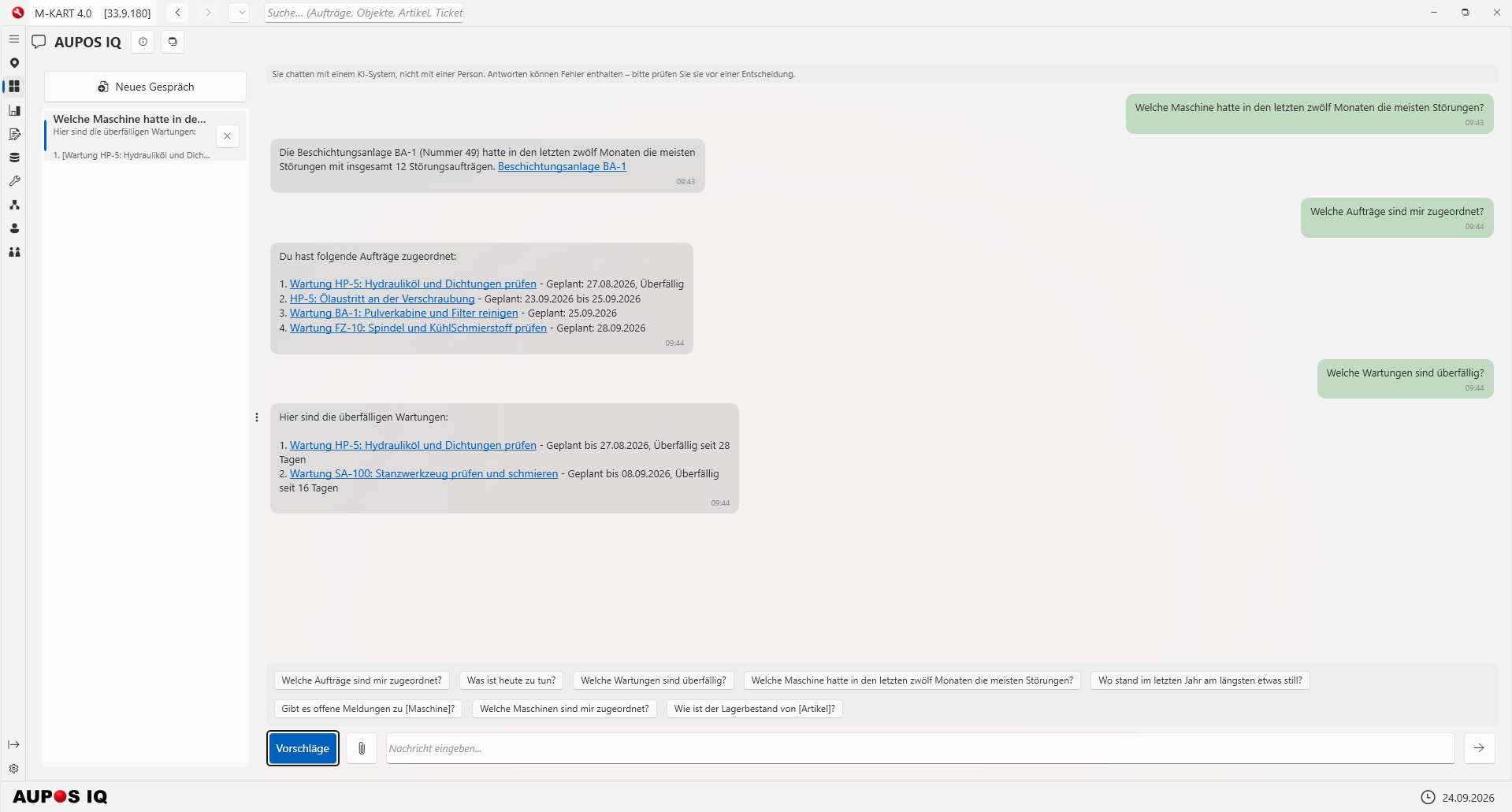
Ask questions in plain language – answers link directly to orders and objects.
- Examples: assigned orders, overdue maintenance, fault hot spots
- Clickable links in the answers
- Conversation history and suggested questions

